Tutorial🔗
Required inputs are scans.tsv files and EEG .set and .fdt files for each subject. See below for instructions to download these files.
Downloading EEG data from Lasso🔗
Please see the central HBCD Data Release Docs for instructions to access and download HBCD data.
1- Log into Lasso.
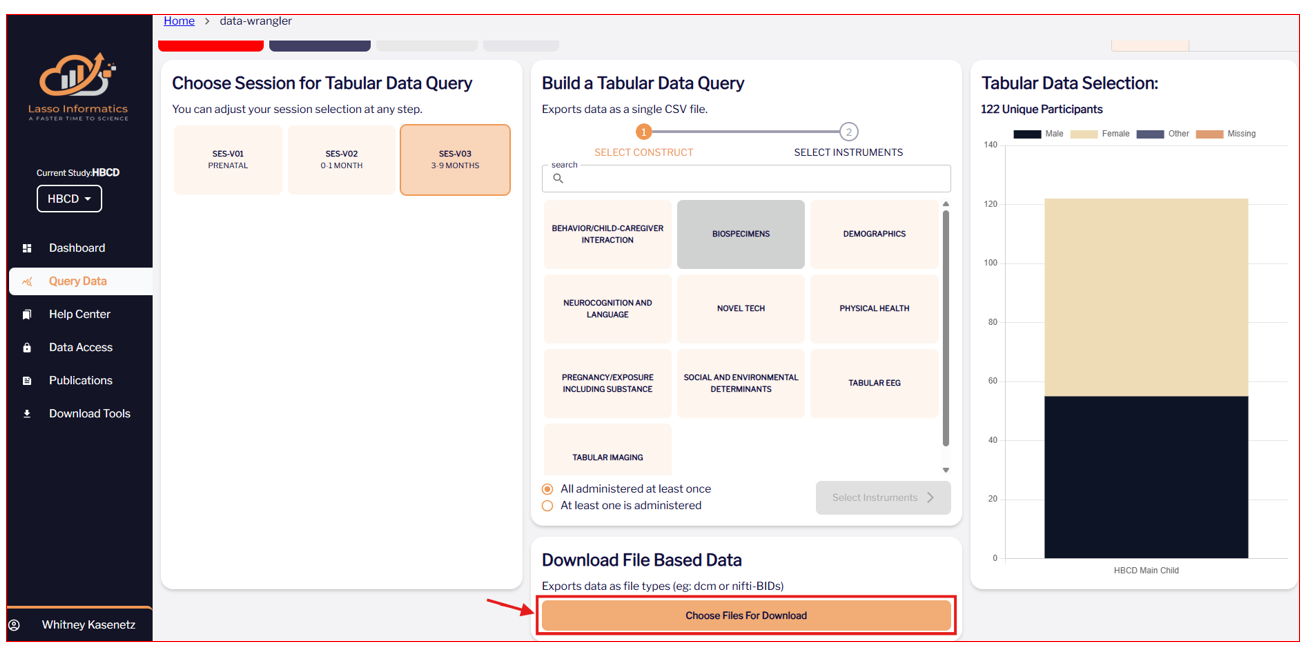
2- In the 'Query Data' tab, select "Choose Files For Download".
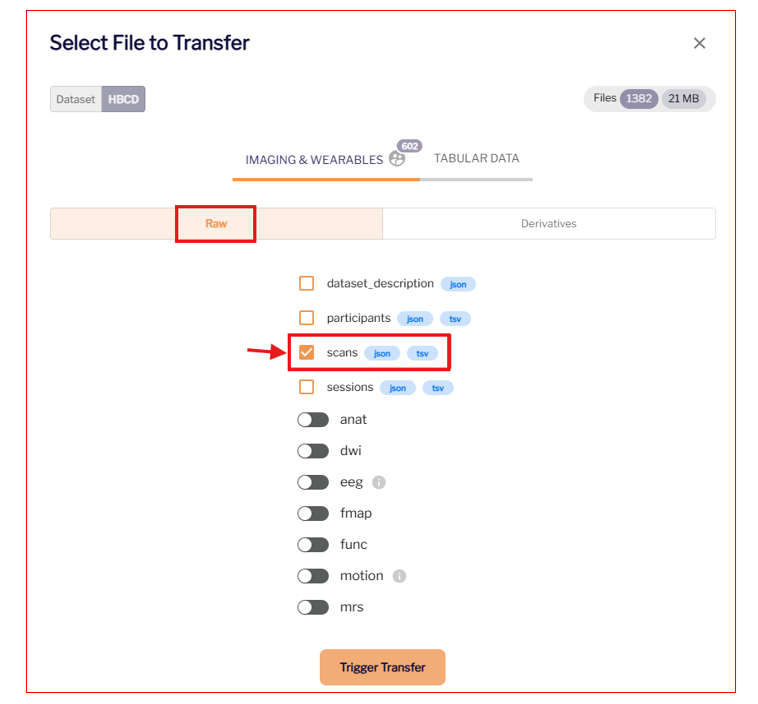
3- Under "Raw", download the scans.tsv file for each participant.
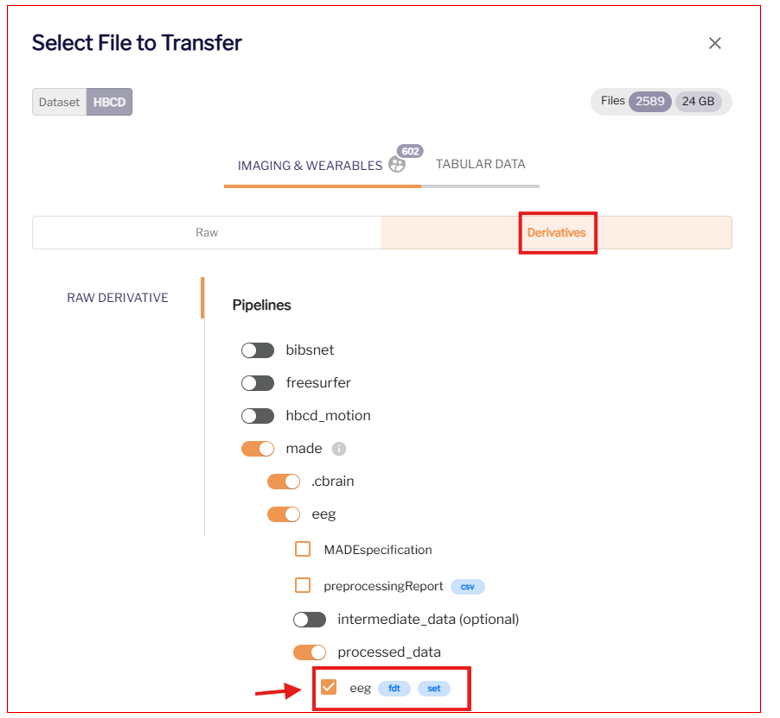
4- Under "Derivatives", download the eeg .set files.
5- Select "Trigger Transfer". Download using Globus Share or the Lasso Download Client.
Running the script🔗
1- Install HBCD-EEG-Utilities and its dependencies: see Installation.
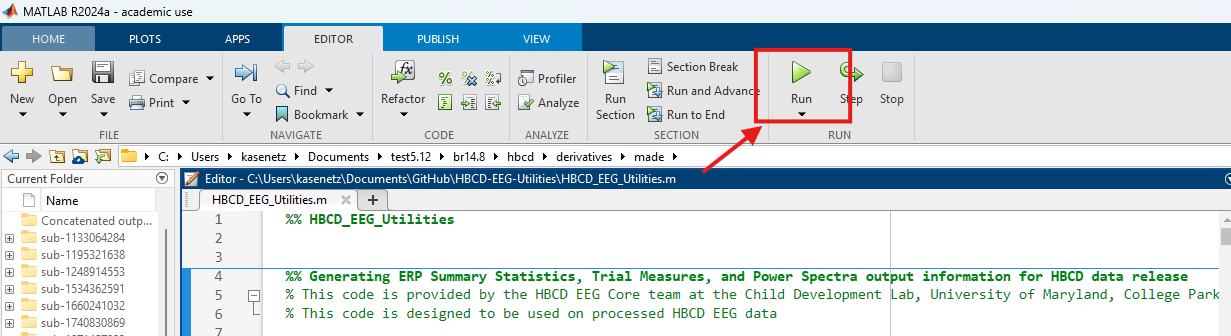
2- Open HBCD-EEG-Utilities.m by double-clicking the file, and press the green 'Run' button on the 'Editor' toolbar.
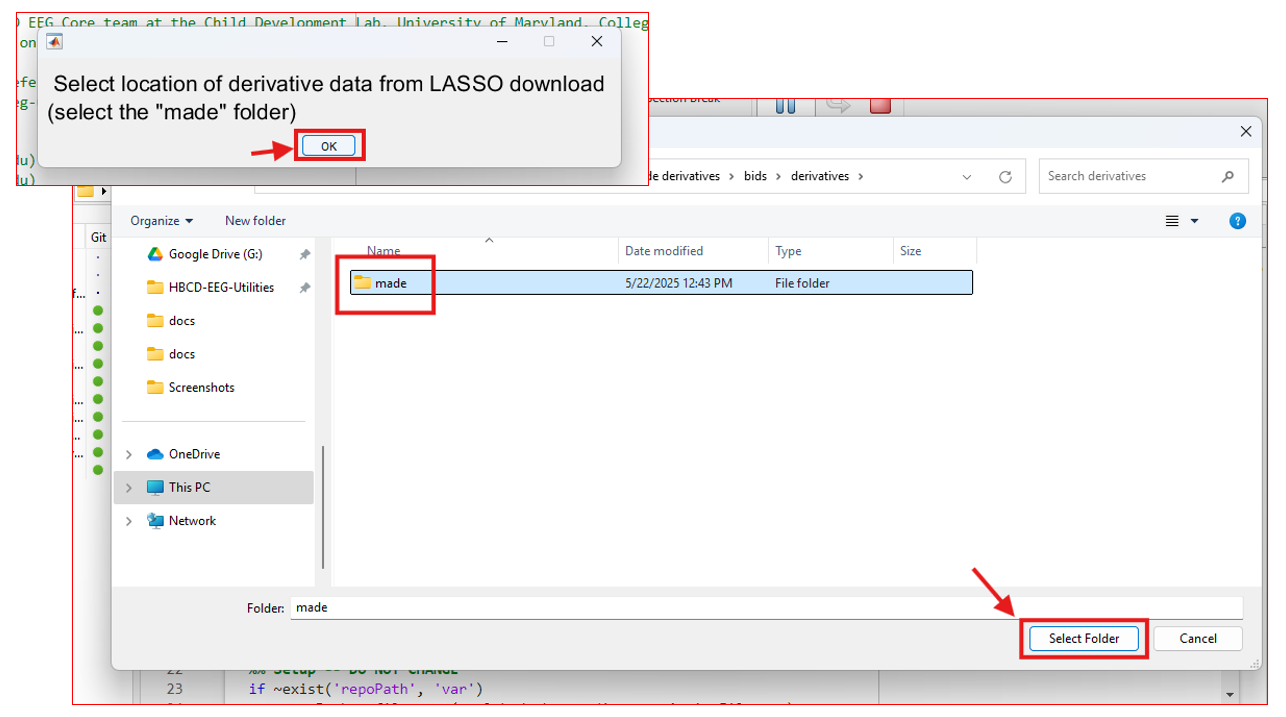
3- Select file path to derivatives/made folder downloaded from Lasso. This folder contains eeg .set files.
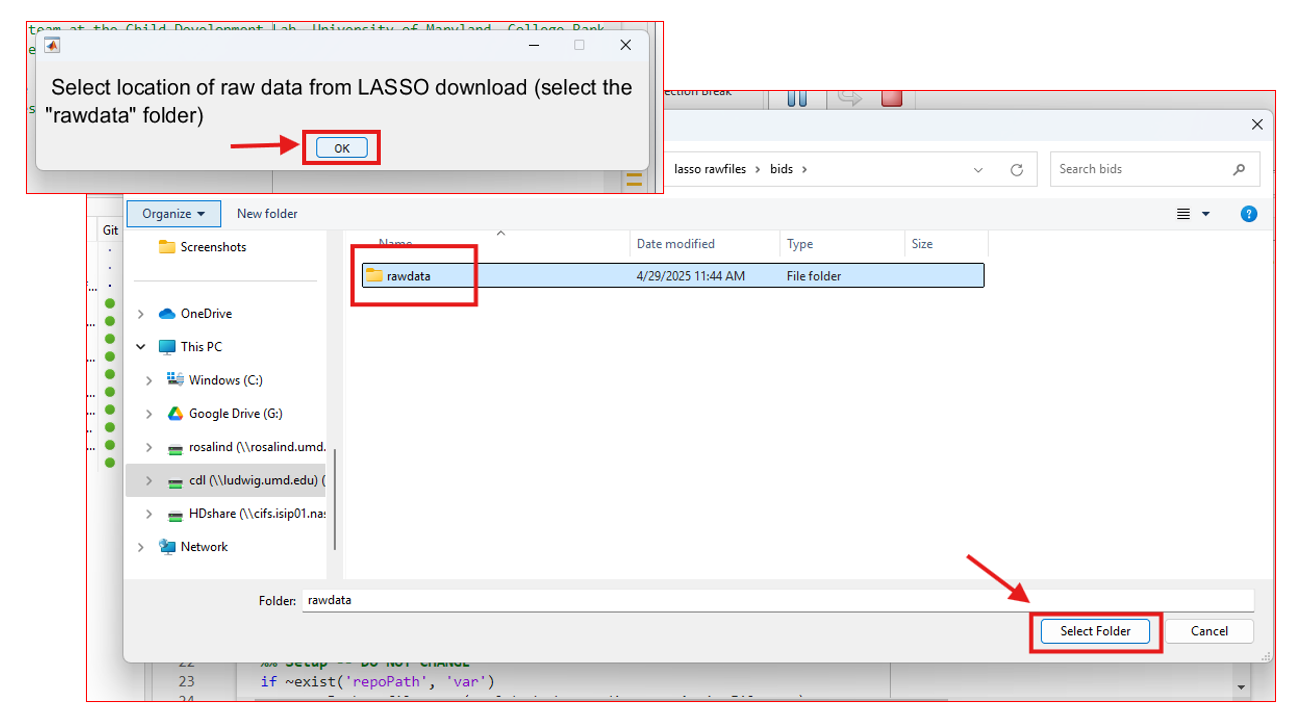
4- Select file path to the rawdata folder downloaded from Lasso. This folder contains scans.tsv files.
5- If prompted, select the path to where you downloaded EEGLAB.
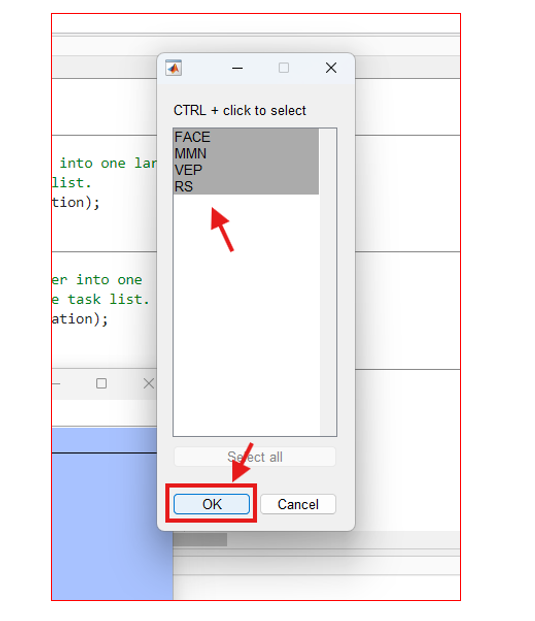
6- Select the tasks for which you wish to compute derivatives.
7- Wait for the script to finish. This could take up to 2 hours if processing all tasks for all release subjects.
8- Find derivative output in the following folders:
|__ made/
    |__ sub-<label>/ #subject-level output
    |__ Concatenated outputs for ERPs/ #concatenated output
See Descriptions of output for details.